Manage your feed and mapping results
Understand our assisted integration workflow, how to read your CSV mapping reports, and how to submit corrections to keep your offers live.
Manage your feed and mapping results
The Comparator uses an assisted onboarding and operational management workflow. We do not operate a self-service merchant portal or login dashboard at this time.
This guide explains how your store interacts with our integration team, how to read your CSV Mapping Reports, and how to submit corrections.
1. Operational Workflow Overview
Because hardware matching requires strict technical accuracy, our engineering team manages the ingest pipeline.
[1. Submit Feed] ➔ [2. Ingestion & Validation] ➔ [3. CSV Mapping Report] ➔ [4. Submit Corrections] ➔ [5. Live Sync]
- Submit Application & Feed: You submit your store application and feed URL via /retailers/apply/.
- Initial Pipeline Ingestion: Our system fetches your feed, validates schema rules, and attempts matching against our hardware reference database (
ref_specs.json). - Receive CSV Mapping Report: Our integration team emails you a CSV report detailing matched, ambiguous, and rejected items.
- Review & Correct: You review the CSV, update missing MPNs/GTINs in your feed or annotate corrections, and email it back to
retailers@thecomparator.tech. - Live Publication & Sync: We apply your mapping overrides to our pipeline configuration (
corrections.json). Your matched products appear live in the comparison tables.
2. Onboarding Interface & Screenshots
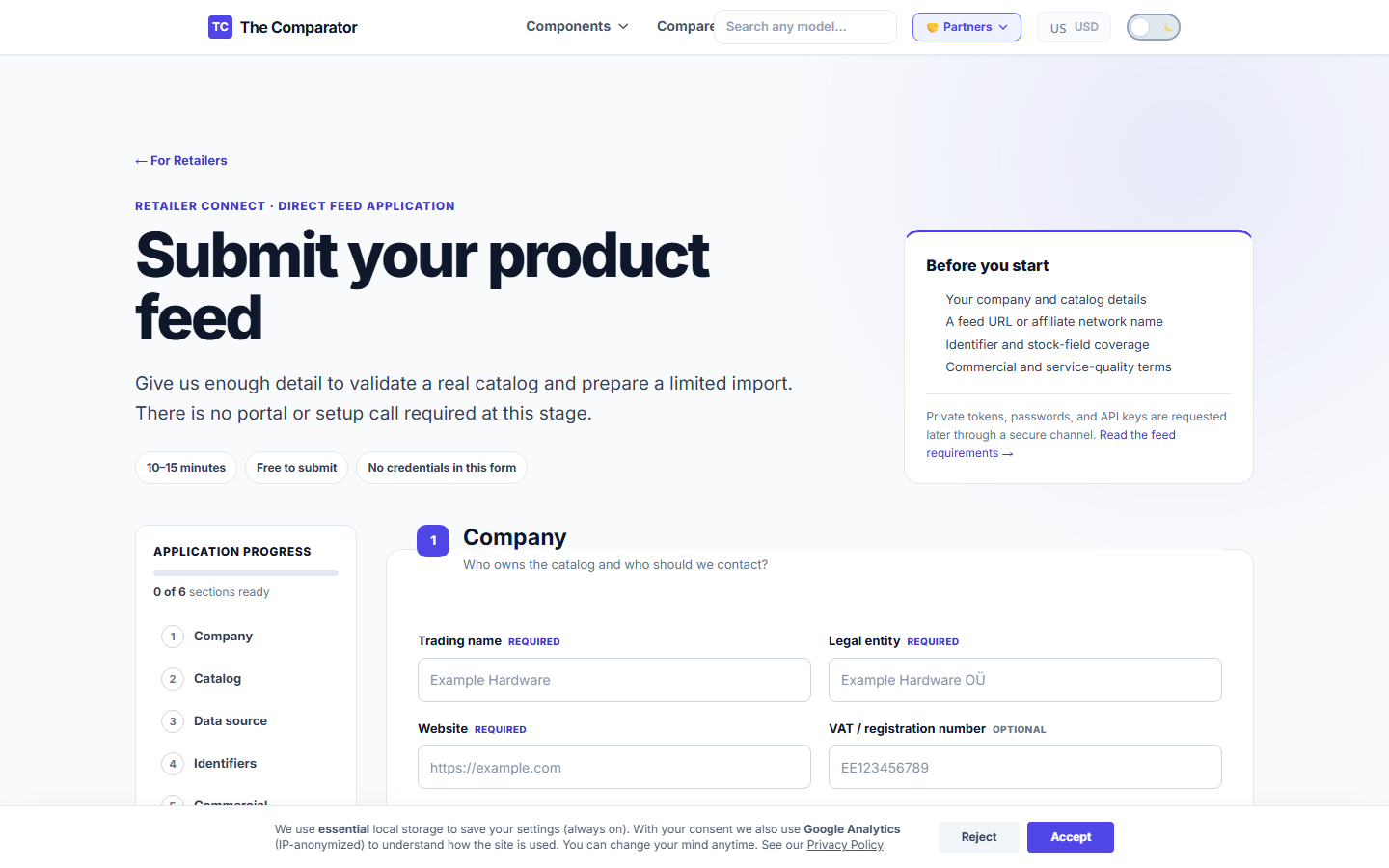
Retailer Application Interface (/retailers/apply/)
When you register your store, you submit your details through our partner application form:
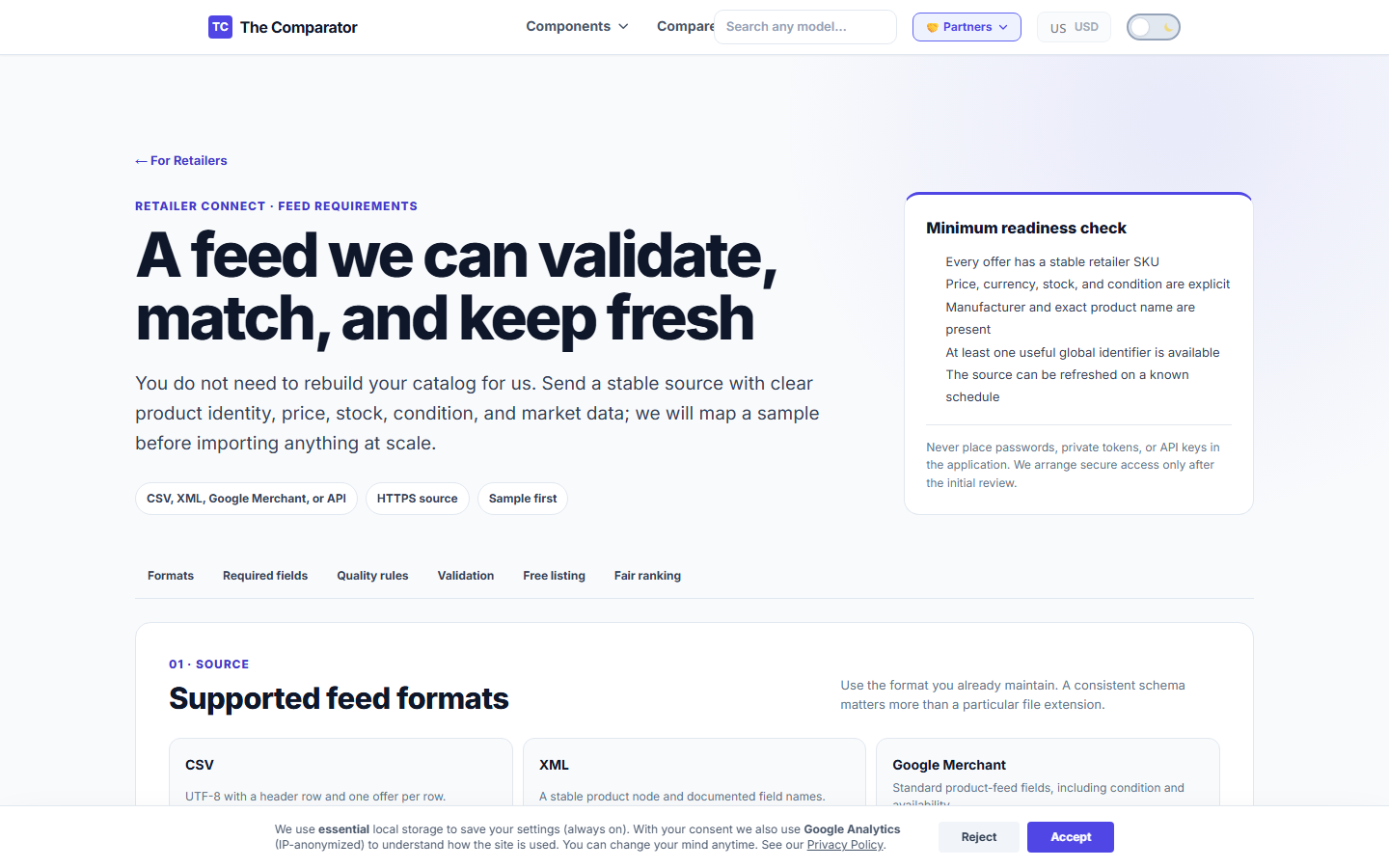
Feed Requirements Reference (/retailers/feed-requirements/)
Technical guidelines for feed formats can be reviewed at any time:
3. Reading the Mapping Report (CSV Format)
When your feed is processed, our team generates a Mapping Report (CSV format).
Structure of the CSV Mapping Report
| Header | Example Value | Description |
|---|---|---|
sku | GPU-4070S-01 | Your internal product ID. |
feed_title | ASUS TUF Gaming GeForce RTX 4070 Ti SUPER OC 16GB | Original title string from your feed. |
matched_model | NVIDIA GeForce RTX 4070 Ti SUPER | Canonical hardware model in The Comparator DB. |
status | Matched | Processing outcome (Matched, Ambiguous, Review, Rejected). |
issue_code | NONE | Diagnostic code for warnings or rejections. |
live_url | https://thecomparator.tech/gpu/rtx-4070-ti-super/ | Target page on The Comparator where offer appears. |
4. Status Meanings & Issue Codes
Mapping Status Definitions
- ✅
Matched: The item was successfully identified and matched to a canonical hardware model. It will appear live whenin_stock. - ⚠️
Ambiguous: Our algorithm found multiple possible hardware matches (e.g., could not distinguish between a 12GB and 16GB variant due to vague title). Requires manual correction. - 🔍
Review: The offer was flagged for manual review (e.g., price is 40% below market average). Held until verified. - ❌
Rejected: The offer cannot be imported (e.g., unsupported category or bundle).
Diagnostic Issue Codes
NON_COMPONENT_ACCESSORY: Item is a PC case, water block, or bracket. (Safely ignored by importer).PRICE_ANOMALY: Price is significantly outside expected hardware bounds.ERR_NO_IDENTIFIER: Title is vague and no GTIN/MPN was provided.COMBO_OR_BUNDLE: Item contains multiple components (rejected byisComboListingfilter).
5. How to Submit Mapping Corrections
If an item was marked Ambiguous or matched to the wrong hardware variant:
- Open your CSV Mapping Report in Excel or Google Sheets.
- Add a column titled
Correction. - Enter the exact canonical hardware name or URL from The Comparator (e.g.,
https://thecomparator.tech/gpu/rtx-4070-super/). - Email the annotated CSV to
retailers@thecomparator.techwith subject lineMapping Corrections - [Store Name].
Our team applies your corrections within 24 hours, updating cpu_corrections.json or mobo_sata_corrections.json in the live pipeline.
6. Escalating Incorrect Live Offers
If a live offer displays an incorrect price or links to the wrong landing page:
- Check your source feed to ensure the SKU and price are correct.
- Send an email to
retailers@thecomparator.techwith subject:URGENT: Live Price Mismatch - [Store Name]. - Include the SKU, wrong live URL, and correct landing page link.
- Emergency escalations are processed within 4 hours.