
The tier matrix
A tier page lists every product, graded for each job, with price left out. It includes products with a current offer and products without one, because capability does not depend on whether a store sells it today.
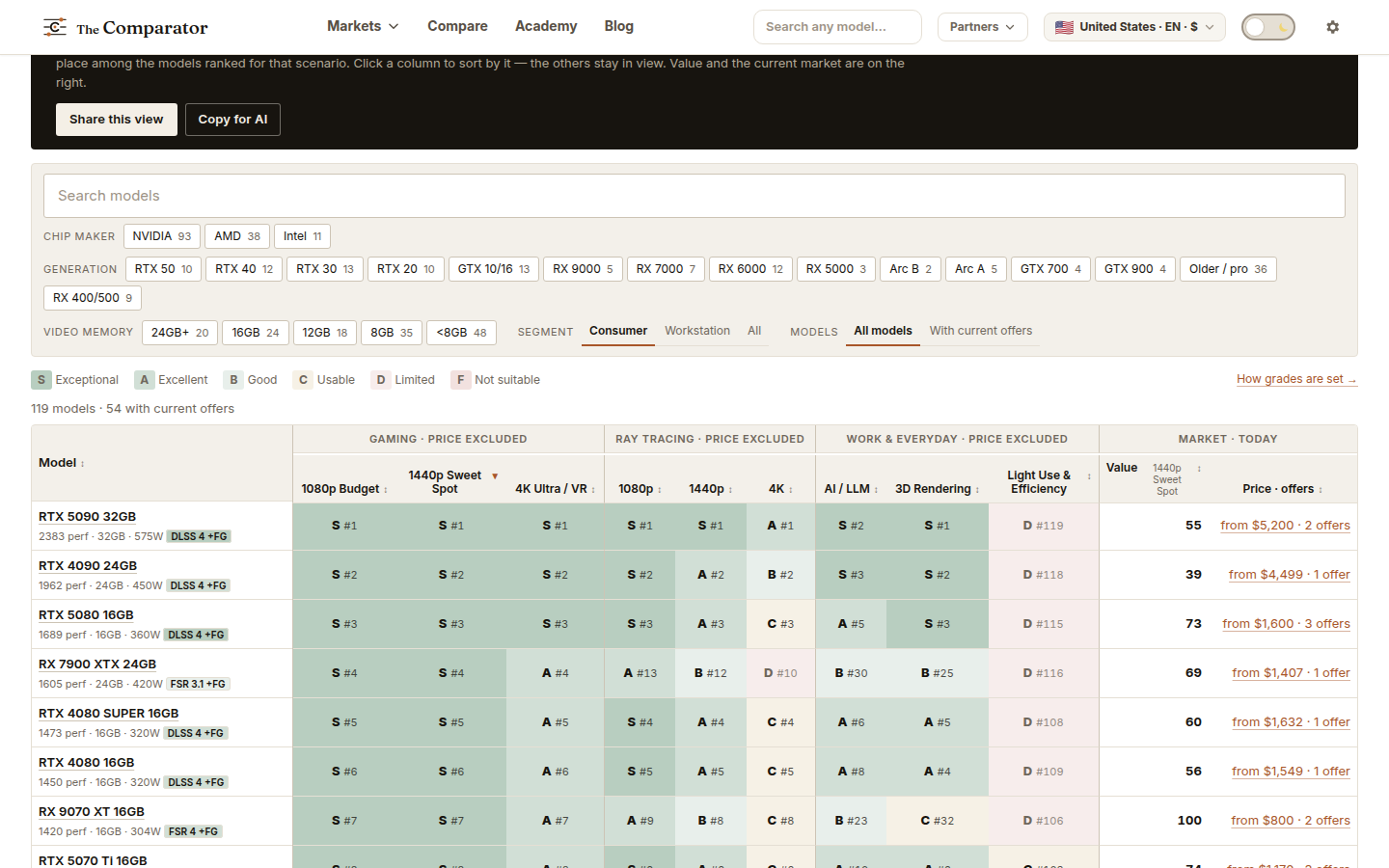
- Find the column for the job you care about.
- Narrow the rows with the filters: chip maker, generation, video memory, segment, or only models with current offers.
- Read the grades down the column. The rank shows the order inside a grade.
- Use the market columns on the right to see whether the product is on sale now and for how much.
Best views
A Best page is a ready-made view of the live market: a category, a job, a minimum grade, a set of priorities, and sometimes a price band or a platform. All of it is written on the page. It opens in the same Explorer as every other market, so you can change anything, including the priorities.
A Best view often offers several ways to look at the same shortlist: higher Value, highest capability, lowest price that reaches the grade, lower power where it is known.