
What jobs we grade
- 1080p Budget, 1440p Sweet Spot, 4K Ultra / VR. Gaming performance at each resolution. Higher resolutions also need more video memory.
- Ray tracing at 1080p, 1440p and 4K. A card can be good at 1080p ray tracing and weak at 4K.
- AI / LLM. Speed for local AI models, and enough video memory to hold them.
- 3D rendering and light use & efficiency. Creative work, and everyday use where power and noise matter more than frame rates.
The filters that matter
- Video memory (VRAM). The usual limit at high resolutions and for AI.
- Maximum price. See Shop within a budget.
- Minimum capability for your resolution or job.
- Card length and board power, if your case or power supply sets a limit.
Compatibility to check
- Length against your case.
- Board power against your power supply. The recommended PSU on the card is a sensible minimum.
- PCIe slot. A card works in an older slot, at the slot’s speed.
More in Check compatibility.
What you will see in Explorer
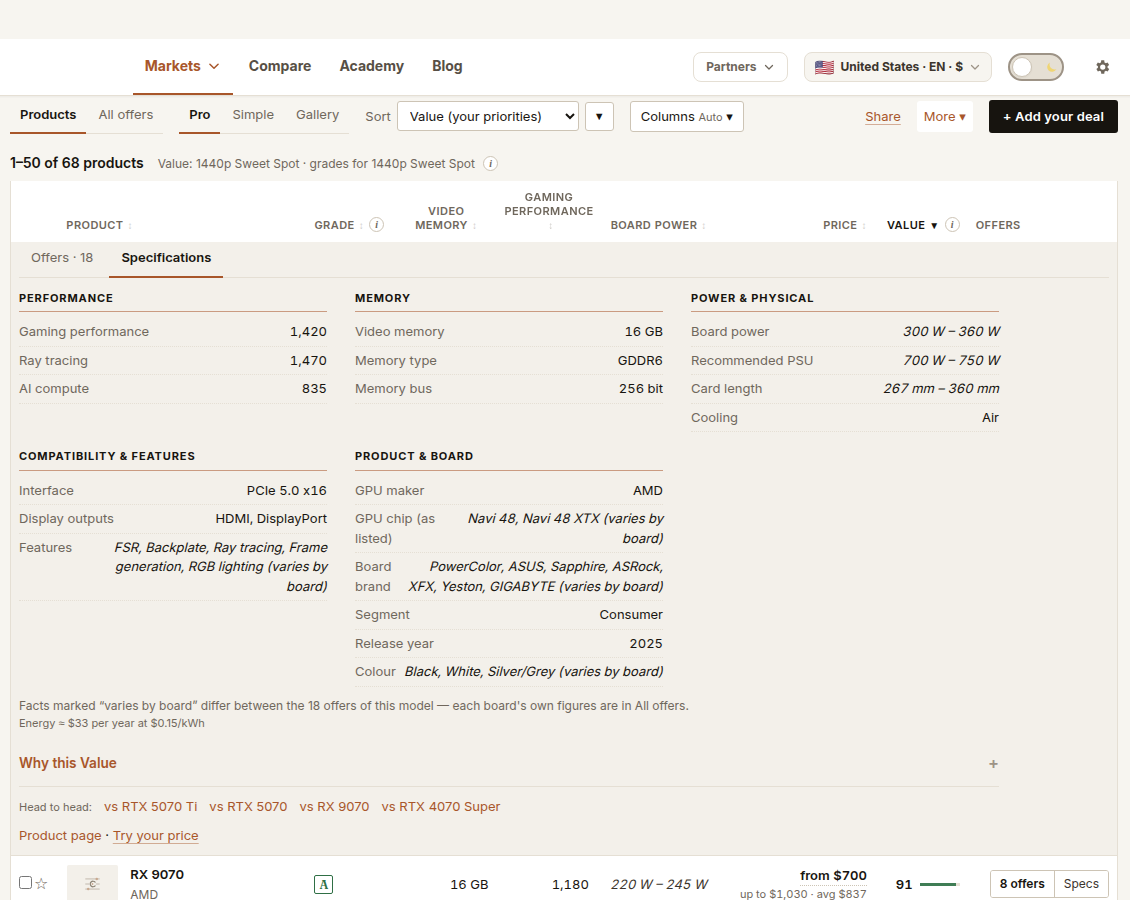
One row per product. A model sold with different memory sizes is a separate product for each, because performance and grades differ. Each row shows price, the grade for your job, Value and key facts. Specs opens the full specifications. The offers button opens every offer.
Things to check outside The Comparator
- Cooling noise and coil whine
- The exact quality of a particular board
- Performance in the specific games you play
- Driver and software quirks
Support for DLSS, FSR and XeSS is mainly set by the GPU architecture rather than the board design, so cards based on the same GPU will normally show the same support. Whether one looks better to you is not measured here.
For deeper buying advice, see the Price2Click 1440p graphics card guide.