
A product is not good or bad in general. A card that is excellent at 1080p can be the wrong choice for 4K. So every product is graded for each job, and the grades ignore price.
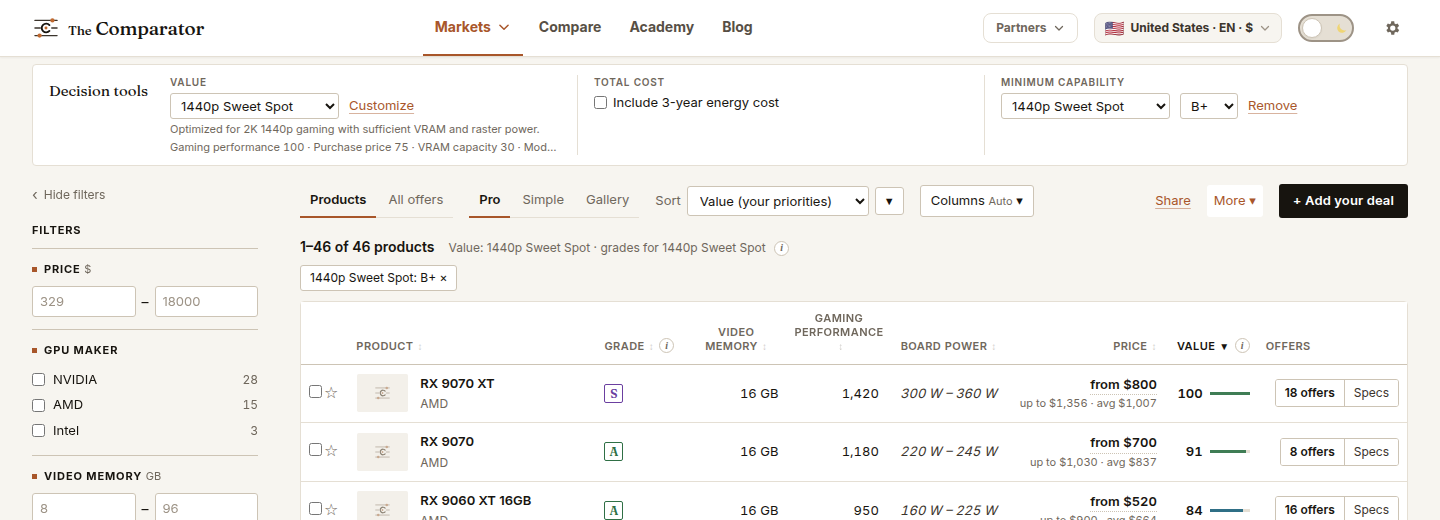
- Choose the job. In the Value menu under Decision tools, pick the job: 1440p Sweet Spot, AI / LLM, Home Server, Office / HTPC for graphics cards; Gaming or System drive in other categories. The Grade column shows the grade for that job. The grade depends only on the job, never on your priorities or the price.
- Set a minimum. Choose Minimum capability → Set requirement, then a job and a grade. 1440p Sweet Spot, B+ means B or better.
- Sort by Value. Everything left is good enough. Value now tells you which one is the better deal for your priorities.
The jobs in each category
- Graphics cards: gaming at 1080p, 1440p and 4K, ray tracing at each resolution, local AI, 3D rendering, light use.
- Processors: gaming, productivity, performance per watt.
- SSDs: system drive, games and files, heavy creative work.
- Memory: gaming, productivity, 24/7 server.
- Motherboards: gaming build, workstation, small case.
Each is explained in its category guide.
Find the most capable product, whatever it costs
- Choose the job and set a high Minimum capability, such as S.
- Change Sort to Grade (active scenario) or Gaming performance.
- To see prices with no ranking at all, choose Price only in the Value menu.
For every product graded for every job at once, see the tier matrix.