
- Find the product in the market, or search it by name.
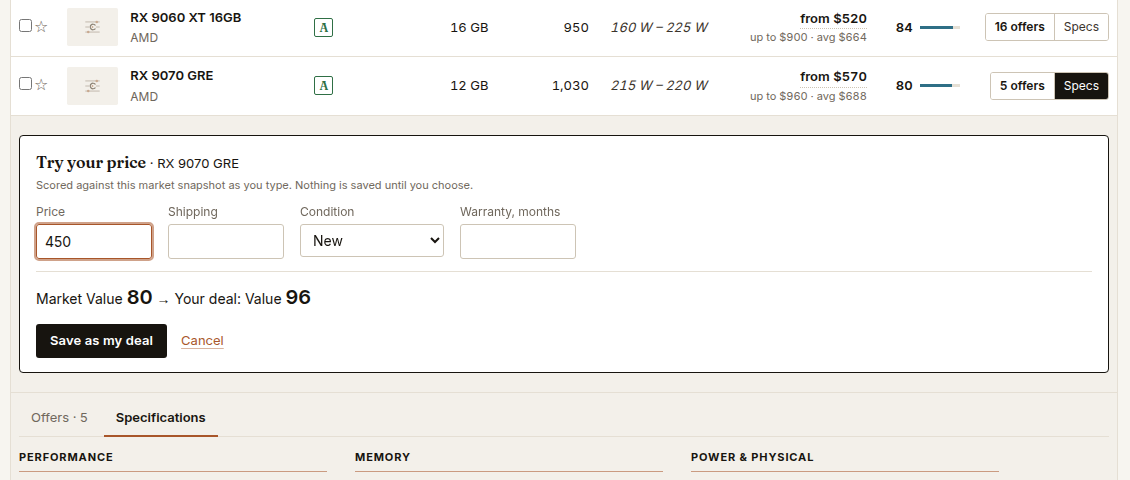
- Open its Specs and choose Try your price. The same option is on every product page and in Compare.
- Enter the price you were quoted. Add shipping, set the condition (new, refurbished, used) and the warranty in months.
- Read the result. It says, for example, Market Value 80 → Your deal: Value 96: the Value the product has today, and the Value it would have at your price.
- Keep it if you want. Save as my deal shows it as a MY DEAL row among the market’s products, in this browser only.
Your price never becomes a tracked offer and never changes another product’s Value. A deal better than the market’s best simply reads 100.
If the product has no current offer
Its facts and grades are still there to score your price against. See What “no current offer” means.