Presets & Custom Weight Sliders
Learn what each weight slider affects in the Value Engine and how to pick the right preset for your workload.
Presets & Custom Weight Sliders
The Comparator’s differentiator is its flexible value engine: instead of using a static editorial ranking, you can adjust weights to reflect what matters to you.
1. Selecting Workload Presets
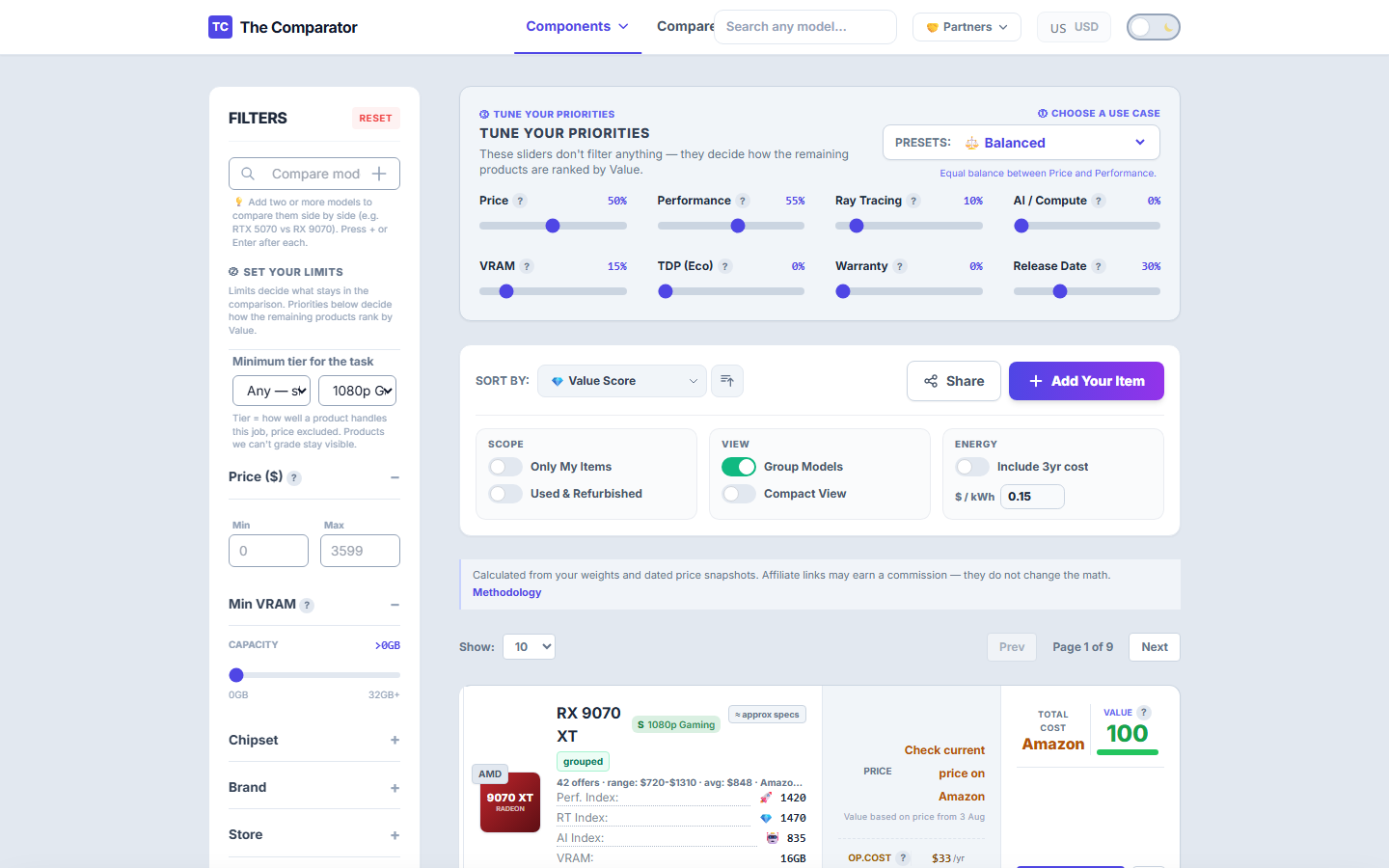
Clicking a preset button automatically sets all 8 weight sliders to optimized values for that task:
- 🎮
1080p Budget: High Price & Raster weight. Perfect for Esports (Valorant, CS2, Fortnite). - ⚔️
1440p Sweet Spot: Balanced Raster, VRAM, and Ray Tracing. Best for mid-range AAA gaming. - 🚀
4K Ultra / VR: Maximum Raster, RT, and VRAM weight. For enthusiast 4K monitors. - 🤖
AI / LLM: Maximum AI Compute TFLOPS & VRAM weight. Places 16GB/24GB tensor cards at the top. - 🎨
3D Rendering: High VRAM & Warranty weight for Blender, Premiere, and CAD applications. - 🖥️
Light Use & Efficiency: Maximum Price & TDP weight for quiet, low-power HTPC or office builds.
2. What Each Weight Slider Affects
When you expand the Weight Controls drawer on the calculator, you see 8 customizable sliders ($0 - 100$):
| Weight Slider | Icon | What It Controls | Increasing This Slider… |
|---|---|---|---|
| Price | 💵 | Sensitivity to retail price | Favors cheap budget cards. |
| Raster Perf | 🚀 | Raw gaming FPS (non-RT) | Favors high-end gaming GPUs. |
| Ray Tracing | 💎 | RT benchmark performance | Boosts NVIDIA RTX and high-tier RDNA3 GPUs. |
| AI / Compute | 🤖 | Tensor TFLOPS / FP16 TFLOPS | Boosts GPUs for Machine Learning & Stable Diffusion. |
| VRAM | 💾 | Video Memory Capacity (GB) | Favors 16GB / 24GB cards for high resolution & long-term safety. |
| TDP (Power) | ⚡ | Power draw in Watts | Favors power-efficient GPUs and lower electricity bills. |
| Warranty | 🛡️ | Warranty duration | Boosts brand new retail items over short-warranty listings. |
| Release Year | 📅 | Recency factor | Penalizes older architecture generations with legacy driver support. |