Comparing Products Head-to-Head (Compare & Versus)
Learn how to compare 2 or more hardware products side-by-side using the Compare Matrix and Versus matchup pages.
Comparing Products Head-to-Head
When deciding between two or three close candidates (e.g. RTX 4070 SUPER vs RX 7900 GRE), The Comparator provides two dedicated comparison views: Compare Matrix and Versus Matchups.
1. Using the Compare View (/compare/)

The Compare View lets you build a side-by-side matrix of up to 4 components.
How to use Compare:
- In the main calculator table, check the Compare Checkbox next to any 2, 3, or 4 products.
- Click the floating
Compare Selected (X)bar at the bottom of the screen (or navigate to /compare/). - The Compare Matrix presents:
- Best Price Highlight: Clear badge highlighting which store has the lowest current price.
- Metric Differences: Highlights spec advantages (e.g., +4GB VRAM, +25% Raster FPS, -50W TDP).
- Preset Switcher: Instantly re-calculates winner verdicts under different gaming or productivity presets.
2. Using Head-to-Head Versus Pages (/versus/)
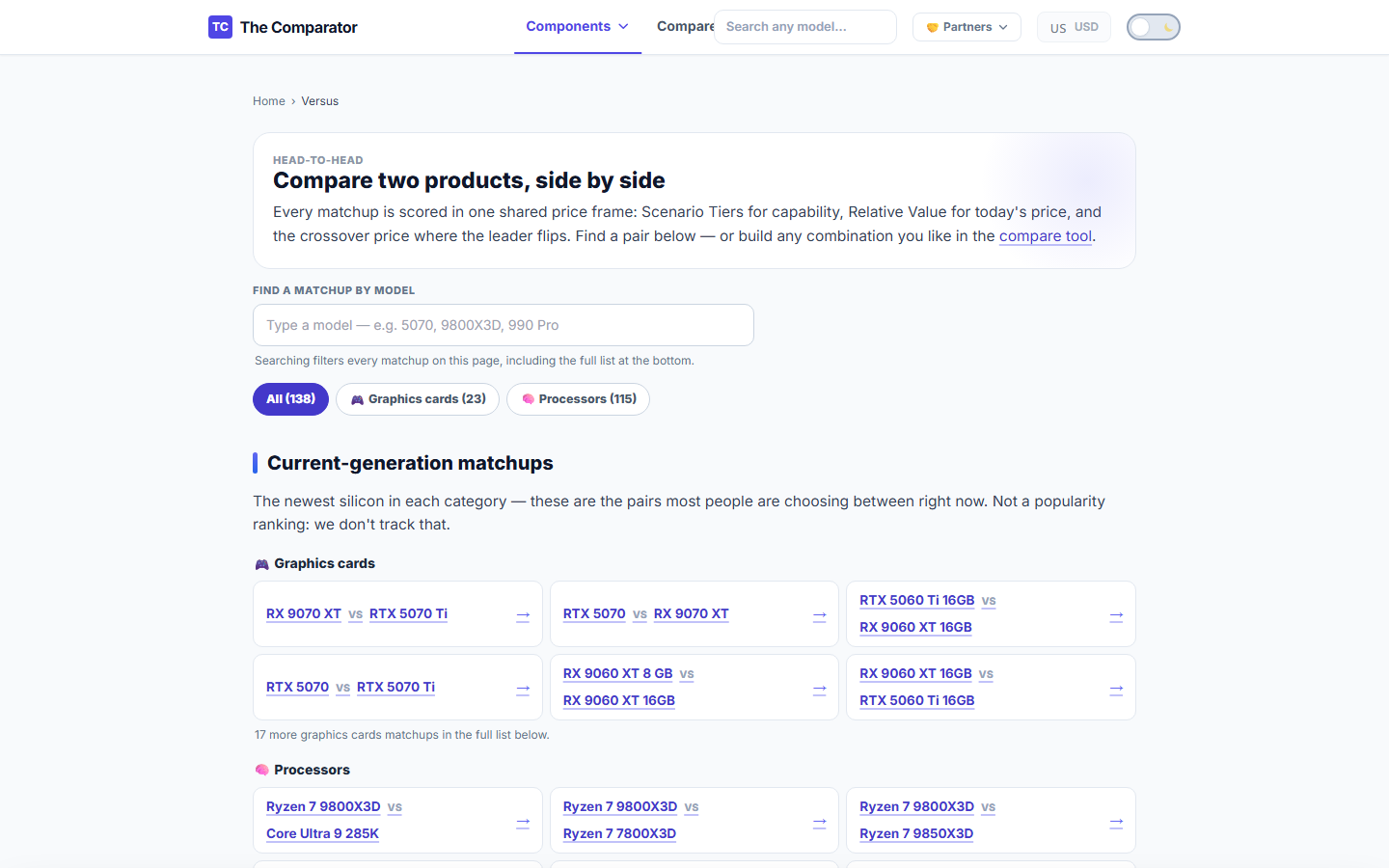
For popular matchups (e.g. RTX 4070 SUPER vs RX 7800 XT), we provide pre-compiled Versus Pages.
Key Features on Versus Pages:
- Sticky Comparison Bar: Remains visible as you scroll through detailed benchmarks.
- 10-Section Spec & Benchmark Analysis: Compares 1080p, 1440p, and 4K raster FPS, ray tracing, power consumption, and value rankings.
- Scenario Verdict: Explains which card wins for pure raster gaming, ray tracing, or workstation productivity.